
Multi-track timeline
Most faceless tools trap you in rigid templates. Here you get a real timeline — arrange, trim and layer everything exactly how you want.
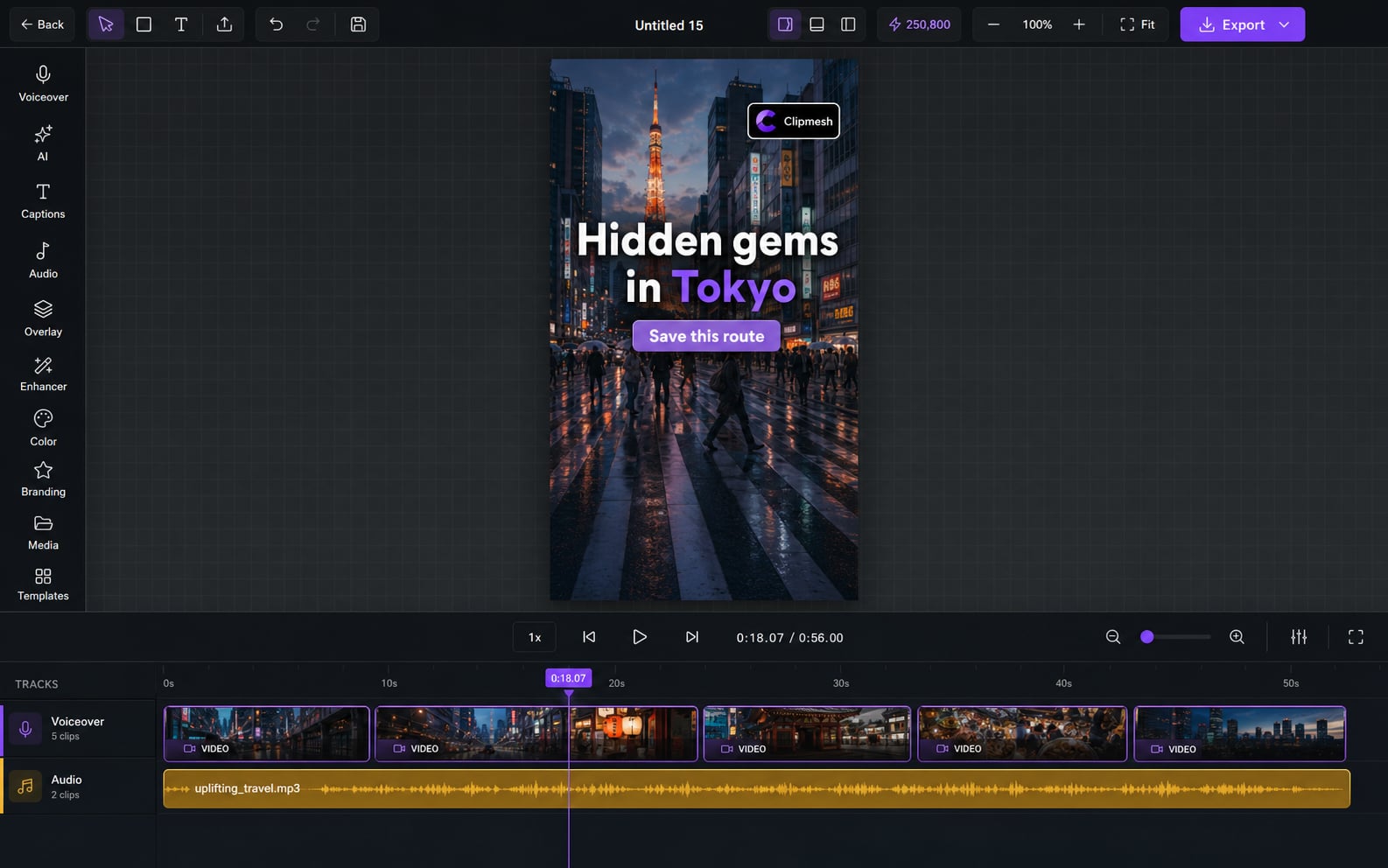
From idea to a finished video
- 1
Drop your clips, voiceover and text onto the timeline
- 2
Drag to arrange and trim the edges — everything snaps into place
- 3
Stack as many layers as you need and fine-tune until it feels right
Finally, a real timeline — not a template
Template-only editors fall apart the moment your idea doesn't fit their box. Clipmesh gives you a proper multi-track timeline: put every clip exactly where it belongs, trim to the frame, and stack as many layers as your story needs.
Layer without limits
Run out of tracks in other apps? Stack video, audio, captions and stickers as high as your idea goes — there's no cap.
Cut to the exact frame
No more "close enough" trims. Grab a clip's edge or split at the playhead and land on the precise frame, every time.
Everything snaps into place
Stop nudging clips pixel by pixel — they snap to their neighbours and the grid, and stray gaps get flagged so your edit stays tight.
See the whole video, or one frame
Zoom out for the big picture or right into the detail — the timeline scales to whatever you're working on.
Move a whole section at once
Box-select a run of clips and drag them together — reshuffle a section in seconds instead of one clip at a time.
Step back & forward · Ctrl+Z / Ctrl+Y
Experiment without fear
A rock-solid undo history (Ctrl+Z / Ctrl+Y) means nothing's ever permanent — try things, and roll back instantly if you don't like it.
Keep your hands on the keys
Space to play, arrows to scrub, Del to cut — the shortcuts you already expect, so editing stays fast.
More in the editor
See allAI footage match
Hunting for b-roll is the worst part of faceless video. The AI director does it for you — a fitting shot for every line, dropped on the timeline.
Auto captions
Most people watch on mute — so captions make or break the video. Clipmesh writes them, syncs every word, and styles them to stop the scroll.
Media library
Re-uploading the same clips and digging through folders every project? Upload once — Clipmesh tags it and keeps it ready in every project.
Semantic clip search
Can't remember which clip had the shot you need? Just describe it — Clipmesh finds it in your library by what's in it, not its filename.
Overlays & stickers
Plain footage scrolls right past. Layer logos, lower-thirds, emojis and animated stickers on top to add the personality that holds attention.
Voiceover
No mic, no problem — and no jumping between apps. Generate a lifelike voiceover or drop in your own, right inside the editor.



Download Clipmesh Now
Turn any idea into a post-ready faceless video — free, on your own machine.