
Brand kits
Resetting your logo, colors and fonts for every single video is a grind. Save them once and stamp your whole look on any project in a click.
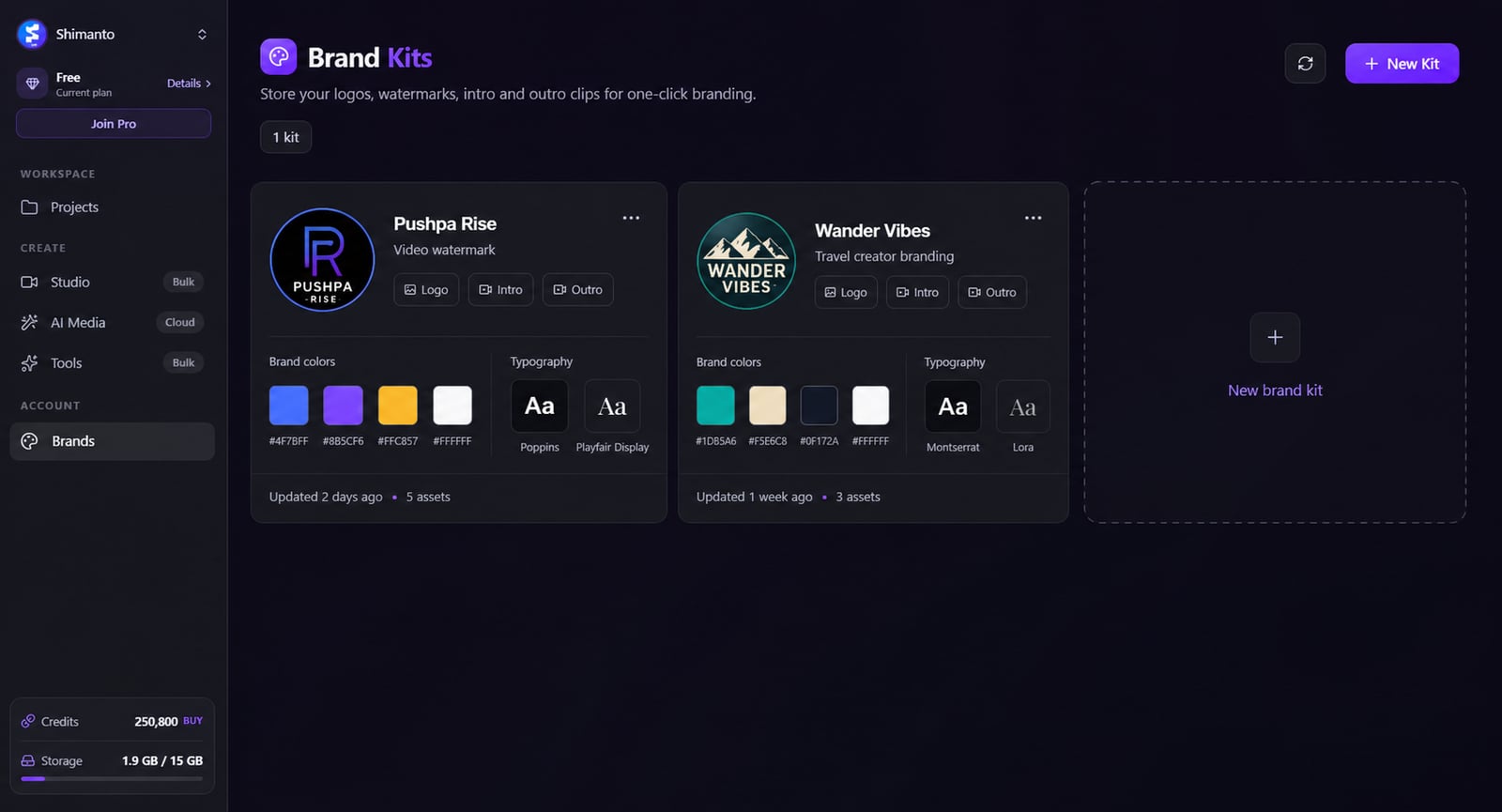
From idea to a finished video
- 1AAa
Save your logos, colors and fonts into a kit
- 2
Open any project
- 3
Apply your brand kit in one click
Stay on-brand without the busywork
Re-styling each video by hand is how channels end up looking inconsistent — and it wastes time you don't have. Save your logo, colors and fonts into one kit and drop your whole look onto any project in a click.
Clipmesh
logo · intro · outro · font
Intro clip
2.0s
Outro clip
3.0s
Clipmesh
Faceless video, made simple — Inter
Set your look up once
Bundle your logo, colors and fonts into a reusable kit — no more rebuilding the style from scratch.
Logo · colors · fonts · intro · outro
Brand a video in one click
Drop your whole identity onto any project instantly instead of re-applying it piece by piece.
Primary
#8436F5
Accent
#ec4899
Ink
#0f172a
Cloud
#e2e8f0
Lime
#84cc16
Sky
#38bdf8
Your colors, always on hand
Named brand colors ready to tap for captions, text and shapes — no hunting for hex codes.
Your fonts everywhere
Use your own brand fonts across every video, so the type always matches.
Run many channels cleanly
Keep each channel consistent without rebuilding its style every time you sit down to edit.
Still fully yours
Apply the kit, then override any element on a per-video basis when you want to mix it up.
More in the editor
See allMulti-track timeline
Most faceless tools trap you in rigid templates. Here you get a real timeline — arrange, trim and layer everything exactly how you want.
AI footage match
Hunting for b-roll is the worst part of faceless video. The AI director does it for you — a fitting shot for every line, dropped on the timeline.
Auto captions
Most people watch on mute — so captions make or break the video. Clipmesh writes them, syncs every word, and styles them to stop the scroll.
Media library
Re-uploading the same clips and digging through folders every project? Upload once — Clipmesh tags it and keeps it ready in every project.
Semantic clip search
Can't remember which clip had the shot you need? Just describe it — Clipmesh finds it in your library by what's in it, not its filename.
Overlays & stickers
Plain footage scrolls right past. Layer logos, lower-thirds, emojis and animated stickers on top to add the personality that holds attention.



Download Clipmesh Now
Turn any idea into a post-ready faceless video — free, on your own machine.