
Voice to Video
Drop in a voiceover + clips to get a fully subtitled video.
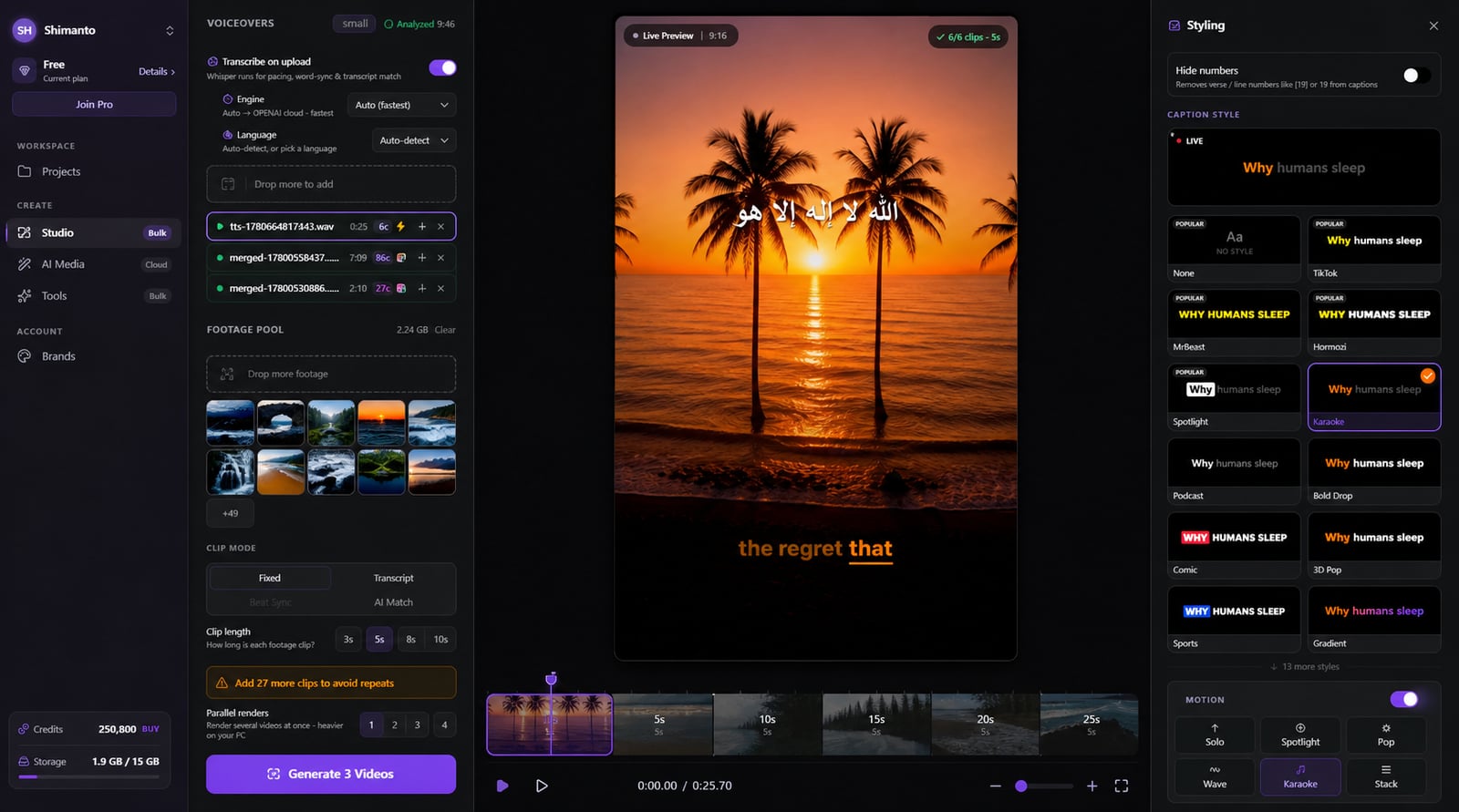
From idea to a finished video
- 1
Add your voiceover and a pile of clips
- 2
saves you 2 hours a day
Captions and b-roll auto-sync to the audio
- 3Rendering…MP4
Export the subtitled MP4 — one video or a whole batch
Voiceover in, finished video out
Hand-syncing clips and captions to a voiceover is hours of tedious work. Drop in your narration and footage and get back a subtitled video — captions word-synced, b-roll matched to every line, branded, sized, and batch-rendered on your own GPU.
Saves you 2 hours a day
Captions, synced for you
Your voiceover is transcribed and captioned word-by-word automatically — in 60+ languages, with no hand-timing.
B-roll matched to every line
Four timing modes — including AI Match — cut the right clip to each line you speak, so the visuals follow the story.
One project, every platform
Export 9:16, 16:9 or 1:1 from the same project — no rebuilding it for TikTok vs YouTube.
Static clips, never static
18 camera moves and 17 transitions — Ken Burns, zoom, orbit — keep even still footage feeling alive.
Bold Drop
Caption styles you control
TikTok, minimalist and more — font, color, size, position and word-highlight, all in your hands.
Clipmesh
logo · intro · outro · font
Intro clip
2.0s
Outro clip
3.0s
Clipmesh
Faceless video, made simple — Inter
Branded automatically
Drop a text or image watermark in any of 9 spots, plus gradient, vignette and blur looks.
Upbeat — Background
Library · loops to fit
Music under the narration
Add a track with fades and volume mixing that sits cleanly beneath your voice, so speech stays clear.
Render a batch on your GPU
Queue dozens of voiceovers and render them locally — nothing's uploaded, nothing waits in a cloud queue.



Download Clipmesh Now
Turn any idea into a post-ready faceless video — free, on your own machine.