
Media library
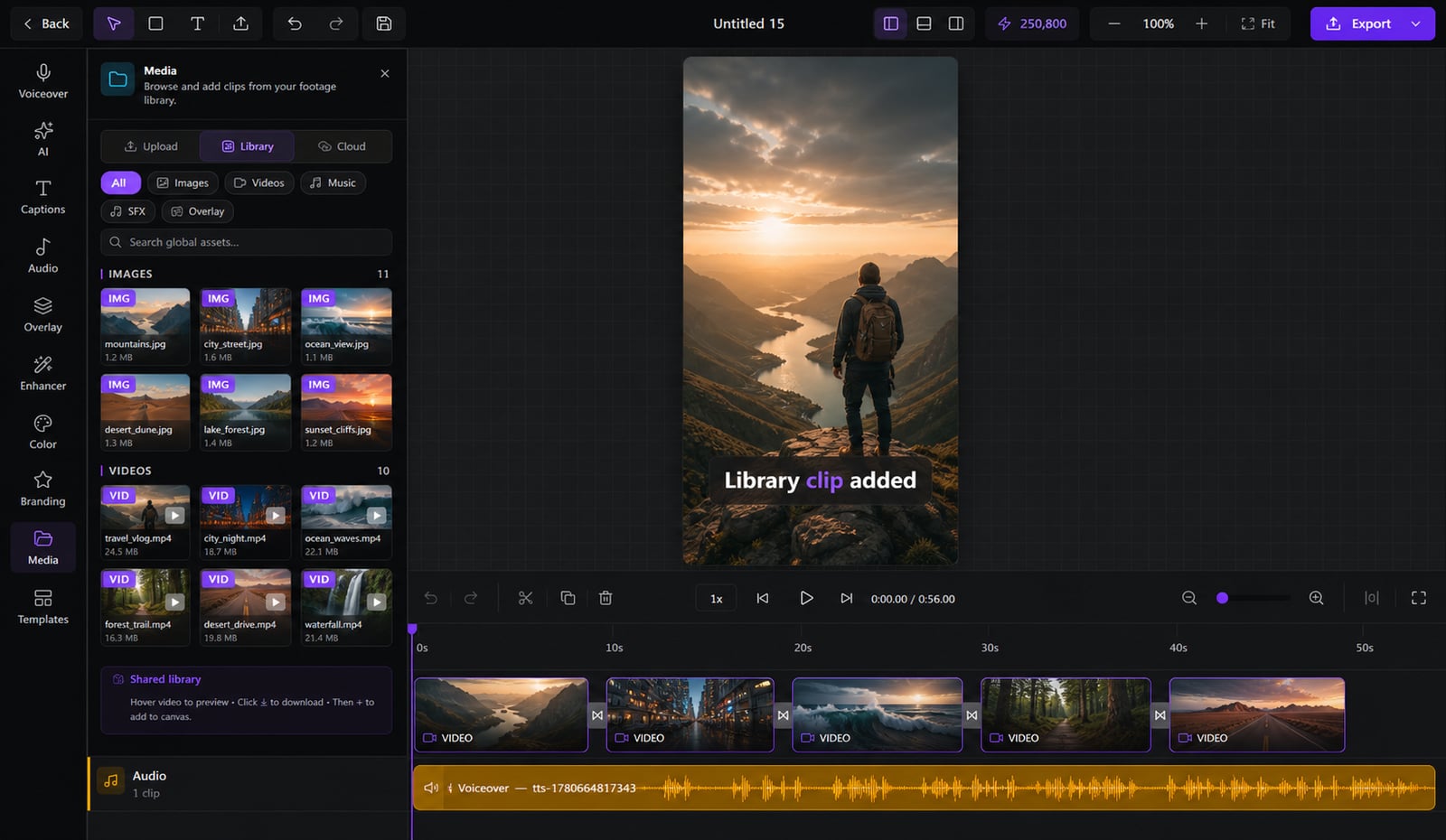
Re-uploading the same clips and digging through folders every project? Upload once — Clipmesh tags it and keeps it ready in every project.
From idea to a finished video
- 1
Upload your clips once to the library
- 2mood4Kcity
They're analyzed, tagged and thumbnailed automatically
- 3
Drag them into any project, anytime
Stop re-uploading the same footage
Bouncing between download folders and re-importing clips for every video is a time sink. Upload once and Clipmesh analyzes, tags and thumbnails everything — ready to reuse in any project, one drag from the timeline.
Upload once, reuse everywhere
Stop re-importing the same footage — a clip you add is instantly available in every project you make.
Detected
Tagged so you can actually find it
Clipmesh reads each clip's mood, color, motion and shot type, so you search by what's in it — not by a filename you forgot.
Grids that load instantly
Every video gets a thumbnail, so your library opens fast instead of choking on raw video.
Local uploads stay put — no broken clips
Nothing breaks on refresh
Local uploads survive a page reload — no dreaded missing clips halfway through an edit.
Straight onto the timeline
Found the clip? Drag it right onto the timeline at the playhead — no export/import dance.
Stock without leaving the app
Out of footage? Pull from Pexels video, images and a sound library built right in.
More in the editor
See allMulti-track timeline
Most faceless tools trap you in rigid templates. Here you get a real timeline — arrange, trim and layer everything exactly how you want.
AI footage match
Hunting for b-roll is the worst part of faceless video. The AI director does it for you — a fitting shot for every line, dropped on the timeline.
Auto captions
Most people watch on mute — so captions make or break the video. Clipmesh writes them, syncs every word, and styles them to stop the scroll.
Semantic clip search
Can't remember which clip had the shot you need? Just describe it — Clipmesh finds it in your library by what's in it, not its filename.
Overlays & stickers
Plain footage scrolls right past. Layer logos, lower-thirds, emojis and animated stickers on top to add the personality that holds attention.
Voiceover
No mic, no problem — and no jumping between apps. Generate a lifelike voiceover or drop in your own, right inside the editor.



Download Clipmesh Now
Turn any idea into a post-ready faceless video — free, on your own machine.