
Voiceover
No mic, no problem — and no jumping between apps. Generate a lifelike voiceover or drop in your own, right inside the editor.
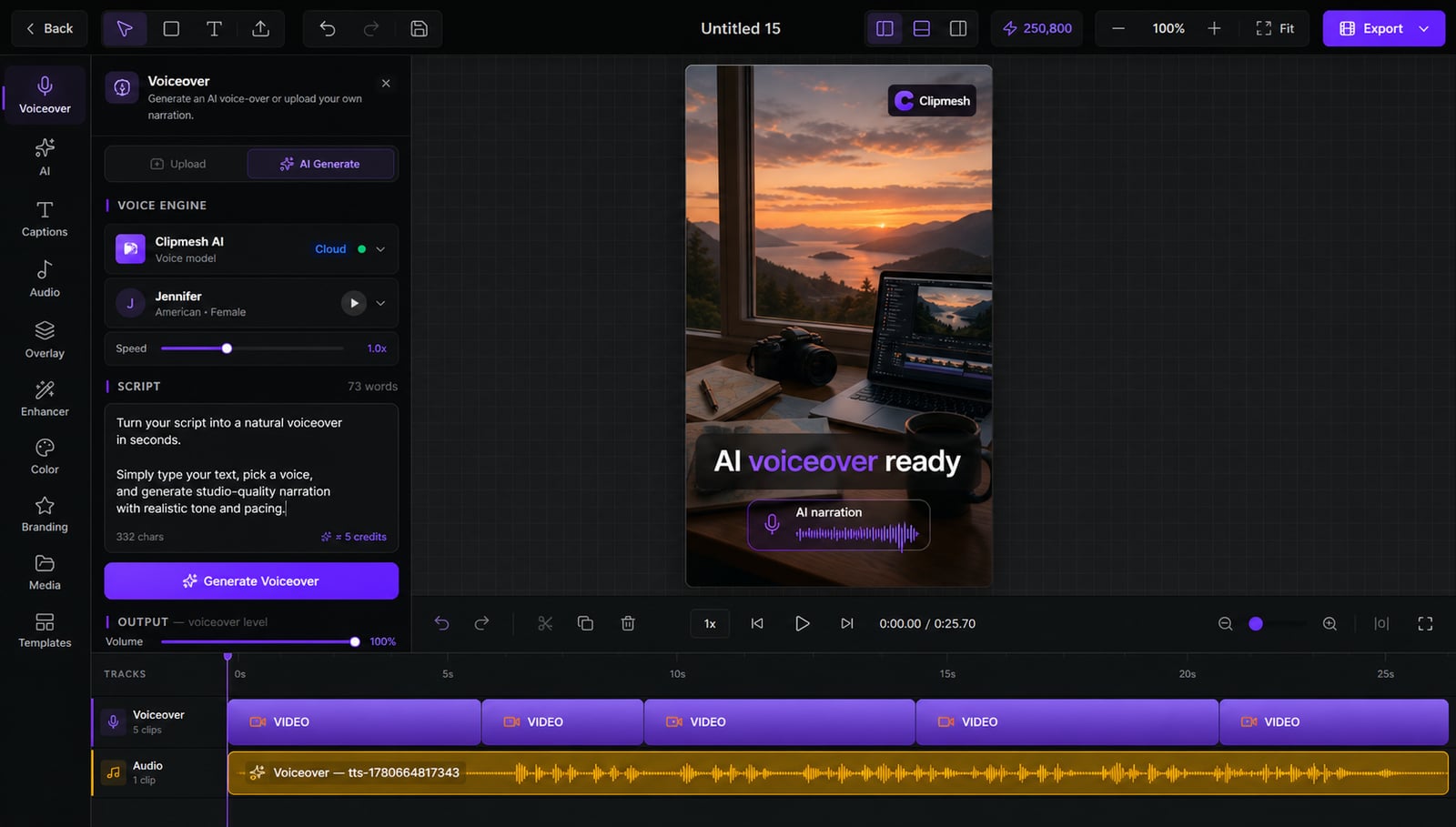
From idea to a finished video
- 1
Generate an AI voice or upload your own recording
- 2
It drops onto the timeline as a waveform
- 3
saves you 2 hours a day
Captions and b-roll sync to it automatically
A voiceover without the camera or the mic
Hate your own voice, or just don't want to record? Generate a natural AI narration from your script — or drop in your own take. Either way it lands on the timeline and drives your captions and b-roll automatically.
AI voice or your own
No mic and no confidence on camera needed — generate narration here, or bring a recording you already have.
On your machine or in the cloud
Transcribe privately on-device, or use Groq / OpenAI / Fal when you want extra speed — your call.
Upbeat — Background
Library · loops to fit
See it on the timeline
The voiceover lands as a waveform you can scrub by sight, with volume and speed per track.
Saves you 2 hours a day
One recording, everything synced
The same transcript powers your word-level captions and the AI footage director — done once, used everywhere.
Captions that land perfectly
Per-word timing means subtitles snap to exactly when each word is spoken.
Runs on your machine
No uploads · no queue · no fees
Private by default
On-device transcription keeps your voice on your own machine — nothing uploaded unless you choose to.
More in the editor
See allMulti-track timeline
Most faceless tools trap you in rigid templates. Here you get a real timeline — arrange, trim and layer everything exactly how you want.
AI footage match
Hunting for b-roll is the worst part of faceless video. The AI director does it for you — a fitting shot for every line, dropped on the timeline.
Auto captions
Most people watch on mute — so captions make or break the video. Clipmesh writes them, syncs every word, and styles them to stop the scroll.
Media library
Re-uploading the same clips and digging through folders every project? Upload once — Clipmesh tags it and keeps it ready in every project.
Semantic clip search
Can't remember which clip had the shot you need? Just describe it — Clipmesh finds it in your library by what's in it, not its filename.
Overlays & stickers
Plain footage scrolls right past. Layer logos, lower-thirds, emojis and animated stickers on top to add the personality that holds attention.



Download Clipmesh Now
Turn any idea into a post-ready faceless video — free, on your own machine.