Local vs cloud AI for video: cost, privacy & control
Most AI video tools live entirely in the cloud and charge you per render, per minute, or per generation. For a handful of videos a month, that is perfectly fine — the convenience is worth a few dollars. But the moment you start producing at volume, where the work actually runs stops being a technical footnote and becomes one of the biggest levers on your cost, your privacy, and your control over your own pipeline.
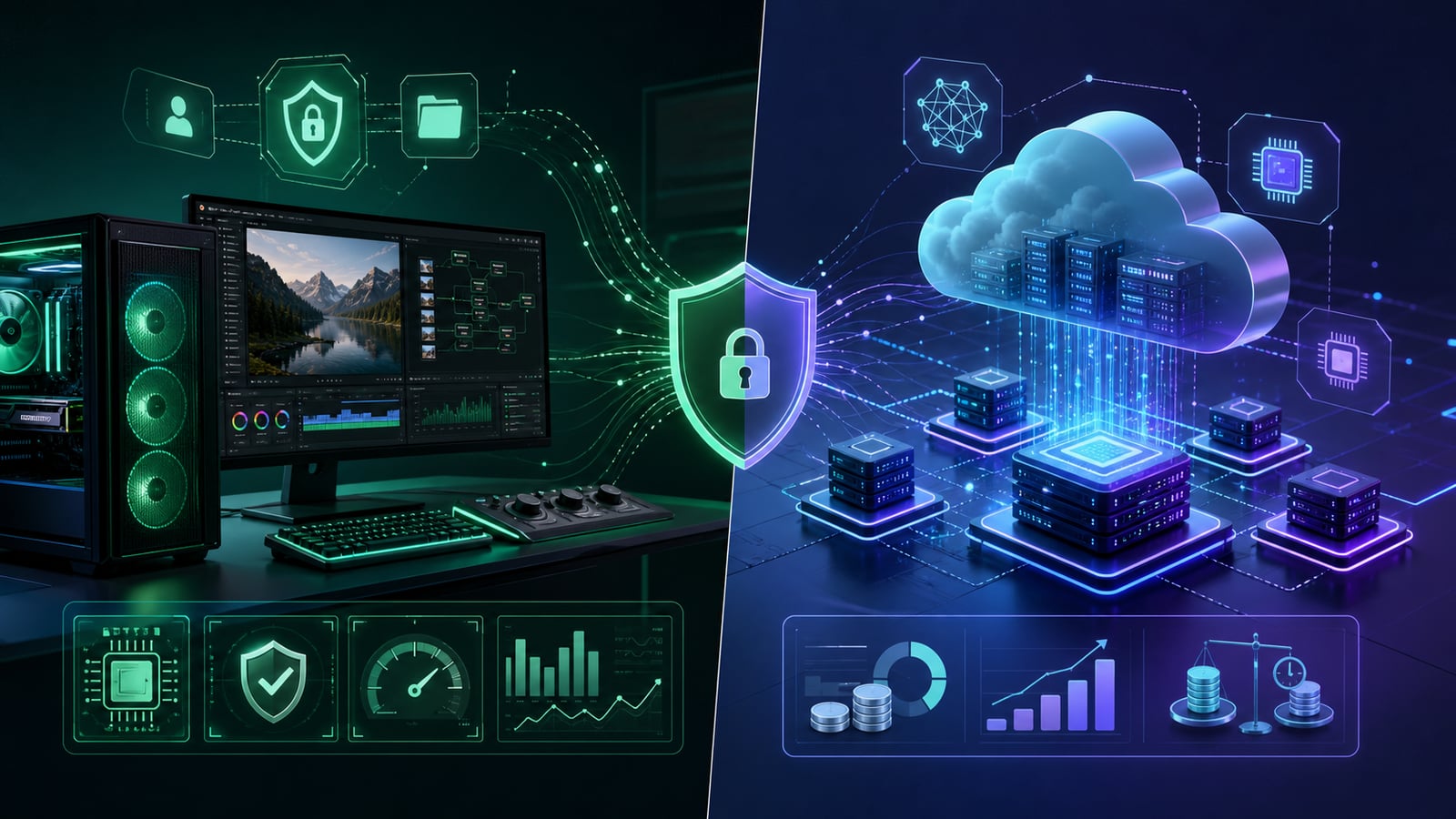
The trade-off is real in both directions. Cloud gives you zero setup, instant access to the most powerful models, and someone else's hardware. Local gives you near-zero marginal cost, full privacy, and independence from anyone's pricing changes or outages — at the cost of running on your own machine. Neither is universally right; the answer depends on how much you produce and how much you value owning your stack.
This breakdown weighs the two on the dimensions that actually matter to a faceless creator — cost, privacy, speed, reliability, and control — and lands on why a local-first, cloud-optional setup is the pragmatic winner at scale.
Cost at scale
This is where the two diverge most dramatically, because they have fundamentally different cost shapes.
- Cloud cost is variable and linear: every render minute, every TTS character, every AI generation is metered, so doubling your output roughly doubles your bill — forever.
- Local cost is fixed and front-loaded: you already own the computer, so after the one-time setup the marginal cost of one more render is essentially the electricity it draws.
Walk the math. A creator paying even a few dollars per finished video in render and AI fees spends a manageable amount at ten videos a month and an alarming amount at three hundred. The local creator's bill barely moves between those two volumes. That is precisely the gap between hobby output and factory output — the cloud model makes scaling more expensive, while local makes scaling nearly free.
Cloud pricing punishes the exact behavior that grows a channel: making more videos. Local pricing rewards it.
Privacy
When you run AI in the cloud, your scripts, your footage, your voiceovers, and sometimes your audience data travel to and sit on a third party's servers, governed by their terms. For casual personal content that may not matter. For anything sensitive it absolutely does.
Local AI keeps all of it on your own device — nothing is uploaded, nothing is logged elsewhere, nothing is subject to a vendor's data policy. This is a genuine advantage if you handle client work under NDA, produce unreleased or embargoed content, work in a regulated niche, or simply prefer that your unpublished ideas never leave your machine. Privacy is not paranoia at scale; it is operational hygiene.
Speed and reliability
Cloud speed depends on your upload bandwidth, the provider's queue, and their uptime — three things you do not control. Local speed depends on your GPU, which you do.
- No upload and download round-trips for large video files — the bytes never leave the machine.
- No queue waits during peak hours when everyone is rendering at once.
- No outages or rate limits taking your production offline on a deadline.
- Works fully offline once the models are installed — render on a plane or a bad connection.
The flip side is that local performance is capped by your hardware. A modest GPU renders more slowly than a cloud farm, and the heaviest, newest models may simply not fit in your VRAM. That is a real constraint — and exactly why the smart setup does not force a choice.
Control and independence
Cloud-only tools make you a tenant. The provider can raise prices, deprecate the model you depend on, change its terms, or shut down — and your entire pipeline is hostage to those decisions. A local-first stack makes you the owner: your tools keep working at the same cost regardless of what any vendor does next. For a business you intend to run for years, that independence is worth as much as the cost savings.
When cloud is the better call
Local is not dogma. Cloud genuinely wins in specific situations, and pretending otherwise is just as wrong as defaulting to it everywhere.
- You produce only a few videos a month, so metered cost stays trivial and setup is not worth it.
- You need the absolute newest, largest model that will not run on consumer hardware.
- Your machine is underpowered and upgrading it is not yet justified by your output.
- You are testing an idea and want zero commitment before investing in local infrastructure.
The best of both
The false choice is all-or-nothing. The pragmatic setup is local-first, cloud-optional: run the high-volume, repetitive work — rendering and transcription — locally where the marginal cost is zero and the privacy is total, while keeping the option to reach for a powerful cloud model (or your own API key) on the occasional video that needs it. You get the cheap, private, reliable baseline and the cloud's peak capability exactly when it earns its cost.
Common mistakes
- Defaulting to cloud everything because it is the easy on-ramp, then watching the bill scale with output.
- Treating it as a religious all-or-nothing choice instead of using each where it wins.
- Uploading sensitive or client footage to third-party servers without checking the data terms.
- Building a whole business on one cloud vendor that can change pricing or disappear.
- Ignoring local because of an old assumption that it is too technical — modern tools make it one click.
- Buying a huge cloud plan before validating that you will actually produce at volume.
Frequently asked questions
Do I need an expensive GPU to run AI video locally?
Not for the heaviest lifting — local rendering and on-device transcription run well on mainstream modern GPUs, and CPU fallbacks exist. The most demanding generative models benefit from more VRAM, which is exactly the case where keeping a cloud option open makes sense.
Is local AI actually private if the app is online?
Yes, as long as the heavy processing happens on-device. An app can be connected for accounts and updates while still rendering, transcribing, and storing your media entirely locally — your scripts and footage never have to be uploaded.
Will I be stuck on weaker models if I go local?
Only if you go local-only. A local-first, cloud-optional setup runs the routine work locally and lets you call a top-tier cloud model on the rare video that needs it — so you are never capped, you just stop paying for power you do not use.
Local-first, cloud-optional, by design
Clipmesh is built exactly this way: rendering and on-device transcription run locally on your own machine — free, private, and unmetered — while you can still tap cloud AI or plug in your own API keys whenever you want the most powerful models. Render local, stay private, and only pay the cloud when it actually earns its keep.