A simple content calendar for faceless creators
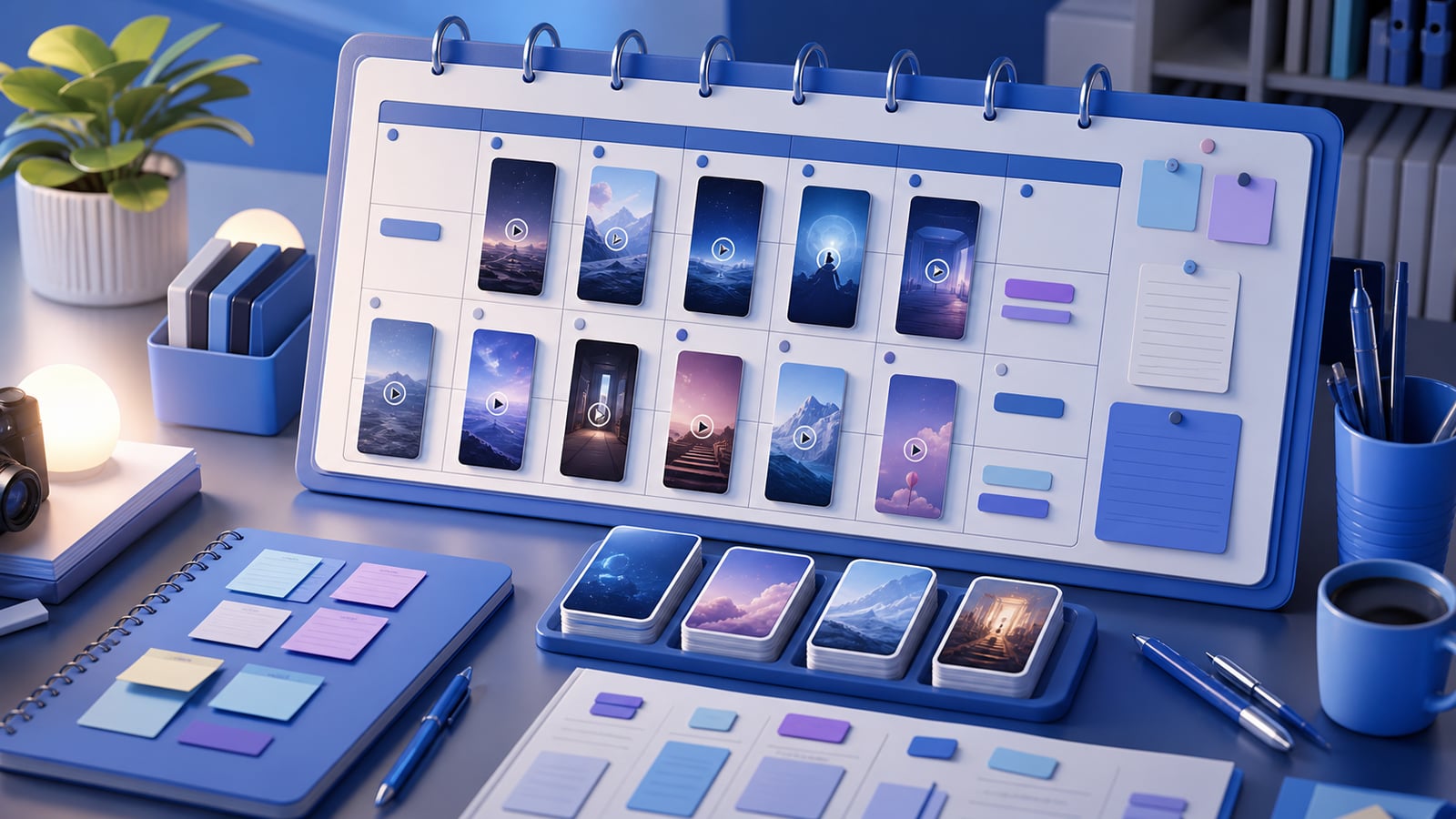
Consistency is the single biggest predictor of whether a faceless channel grows — and consistency doesn't come from motivation, it comes from planning. The creators who post daily for a year aren't more disciplined than you; they've just removed the daily decision of 'what do I make today?' by deciding it in advance.
You don't need elaborate project-management software or a color-coded spreadsheet with twelve tabs. Over-engineered systems are the ones people abandon by week three. What you need is a lightweight calendar simple enough that you'll actually keep it, built around a weekly batching session and a small set of repeating content themes.
This guide walks through building exactly that: choosing a realistic cadence, batching by task instead of by video, planning themes rather than individual titles, and wiring in repurposing so one production fuels a week of posts.
Decide your cadence first — and be honest
Before anything else, pick how often you'll post. The mistake almost everyone makes is choosing an ambitious cadence based on a good week, then collapsing the first time life gets busy. A schedule you abandon is worse than a slower one you keep — gaps confuse the algorithm and break your audience's habit.
Sustainable starting points:
- Short-form: 1 post per day is a strong, achievable target for most people; 2–3 per day accelerates growth if you can batch efficiently.
- Long-form: 1–3 videos per week. Even one reliable weekly video beats three sporadic ones.
- The test: pick a number you could hit even during a stressful week. That's your real cadence — anything above it is a bonus, not the baseline.
Batch by task, not by video
The biggest productivity unlock in faceless content is batching — and specifically, batching by task rather than producing one video start-to-finish at a time. Context-switching between scripting, voicing, and editing is the silent killer of output; doing all of one task at once keeps you in flow.
A single weekly production session, run in stages:
- 1Brainstorm all your hooks for the week in one sitting.
- 2Write or generate every script back-to-back while you're in 'writing mode.'
- 3Generate all the voiceovers with the same voice in one pass.
- 4Let AI match footage and captions for each video.
- 5Render everything locally and queue it into your scheduler.
A week of content this way often takes a single focused afternoon instead of being spread thin across seven stressful days.
Don't make videos daily. Make them weekly, in one focused batch, and post daily from the queue. Production and publishing are two different jobs — separate them.
Plan themes, not just titles
Staring at a blank calendar asking 'what should today's video be?' is exhausting and leads to giving up. The fix is to plan recurring content 'buckets' — repeatable theme categories — instead of agonizing over each individual idea.
- Pick 3–4 recurring buckets for your niche (e.g. a finance channel: 'money myths,' 'side-hustle breakdowns,' 'investing basics,' 'news reactions').
- Rotate the buckets across the week so the channel feels varied but stays focused.
- Keep a running idea list — a notes file or doc — so you never start a batch from zero.
Buckets turn 'invent a video from scratch' into 'fill the next slot in this bucket,' which is dramatically easier and keeps your channel coherent.
A sample weekly calendar
Here's a concrete, realistic template for a daily short-form channel with one weekly batch session. Adapt the buckets to your niche:
- Sunday: batch session — brainstorm, script, voice, edit, and render all 7 short-form videos for the week.
- Monday–Friday: one scheduled post per day, rotating through your 3–4 content buckets.
- Saturday: review the week's analytics — note top performers and what to make more of next batch.
- Once a week: cut 2–3 extra Shorts from your best-performing long-form video (if you make long-form too).
Build repurposing into the plan
Every long-form video contains several short-form videos. If you make long-form at all, your calendar should explicitly include cutting clips from your best moments — it's the highest-leverage way to multiply output without multiplying work.
- Plan to pull 3–5 Shorts from each long-form video's strongest moments.
- Re-hook the first line of each clip for cold viewers who haven't seen the full video.
- Distribute the same clips across YouTube Shorts, Reels, and TikTok — one production, many posts.
Keep a swipe file alongside the calendar
Your calendar tells you when to post; your swipe file makes each batch faster. Save your best-performing hooks, structures, and footage choices in one place. Over time, every new batch becomes a remix of what already worked rather than a blank-page exercise — which is exactly what keeps the calendar sustainable for months.
Common calendar mistakes
- Over-engineering the system — a 12-tab spreadsheet you'll abandon is worse than a sticky note you'll keep.
- Planning around your best week instead of a realistic one — guarantees you'll fall behind and feel like a failure.
- Producing one video at a time instead of batching — burns time on context-switching.
- No idea list — every batch starts from zero, which is the main reason people quit.
- Forgetting to review analytics — without it, your calendar repeats the same misses forever.
Frequently asked questions
How far ahead should I plan content?
One to two weeks is plenty for most faceless creators. Planning further out tends to get invalidated by what your analytics teach you. Keep a longer idea list, but only commit a week or two to the actual calendar.
What if I miss a planned post?
Don't try to make it up by double-posting low-quality filler — just resume the schedule. One missed post barely matters; abandoning the cadence for a week does. The calendar is a tool, not a punishment.
Should I post at specific times?
Consistency of cadence matters far more than exact timing for most faceless niches. Pick a posting time your audience is likely active, schedule it, and don't overthink it — a reliable daily slot beats chasing the 'perfect' minute.
Keep the calendar with Clipmesh
A content calendar only works if production is fast enough to keep up with it. That's exactly what Clipmesh is built for: because the whole pipeline — script, AI voiceover, auto-matched footage, captions, and local rendering — runs in one workflow on your own machine, a full week's batch session genuinely fits into one sitting. And since it handles both vertical and horizontal aspect ratios from one project, building repurposing into your calendar takes no extra tools. Plan the boring, repeatable calendar — and let Clipmesh make hitting it effortless.