
Templates
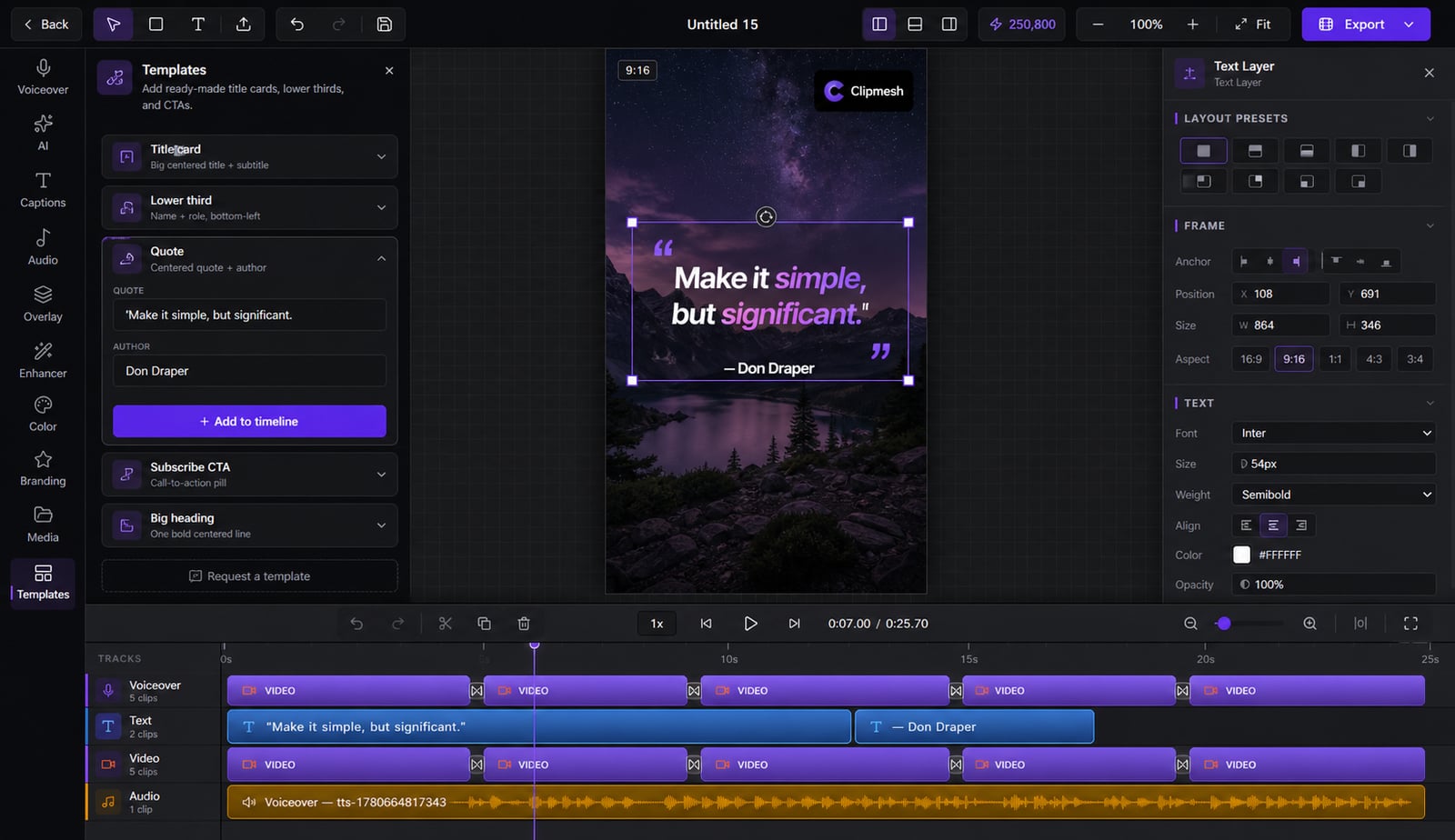
A blank timeline is paralysing. Start from a ready-made layout built for faceless video and you're most of the way there in minutes.
From idea to a finished video
- 1
Pick a template that fits your idea
- 2
Swap in your script and footage
- 3Rendering…MP4
Apply your brand and export
Skip the blank page
Staring at an empty timeline kills momentum before you start. Begin from a layout built for faceless content, swap in your script, footage and brand, and you've got a finished-looking video in minutes — then change anything you like.
Beat the blank page
Start from a proven, ready-made layout instead of an intimidating empty timeline.
Just swap in your content
Drop in your script, footage and brand — the structure's already done for you.
Sized right automatically
Each template sets 9:16, 16:9 or 1:1 on apply, so it fits the platform you're posting to.
One click to load it
Applying drops the whole layout onto your timeline, ready to fill in.
@yourchannel
Subscribe for more
Make it your own
Add, remove or restyle anything afterward — a template is a starting point, not a cage.
More in the editor
See allMulti-track timeline
Most faceless tools trap you in rigid templates. Here you get a real timeline — arrange, trim and layer everything exactly how you want.
AI footage match
Hunting for b-roll is the worst part of faceless video. The AI director does it for you — a fitting shot for every line, dropped on the timeline.
Auto captions
Most people watch on mute — so captions make or break the video. Clipmesh writes them, syncs every word, and styles them to stop the scroll.
Media library
Re-uploading the same clips and digging through folders every project? Upload once — Clipmesh tags it and keeps it ready in every project.
Semantic clip search
Can't remember which clip had the shot you need? Just describe it — Clipmesh finds it in your library by what's in it, not its filename.
Overlays & stickers
Plain footage scrolls right past. Layer logos, lower-thirds, emojis and animated stickers on top to add the personality that holds attention.



Download Clipmesh Now
Turn any idea into a post-ready faceless video — free, on your own machine.