
Filters & transitions
Hard cuts and flat footage look amateur. One click adds a cinematic filter or a smooth transition — and your video instantly looks edited.
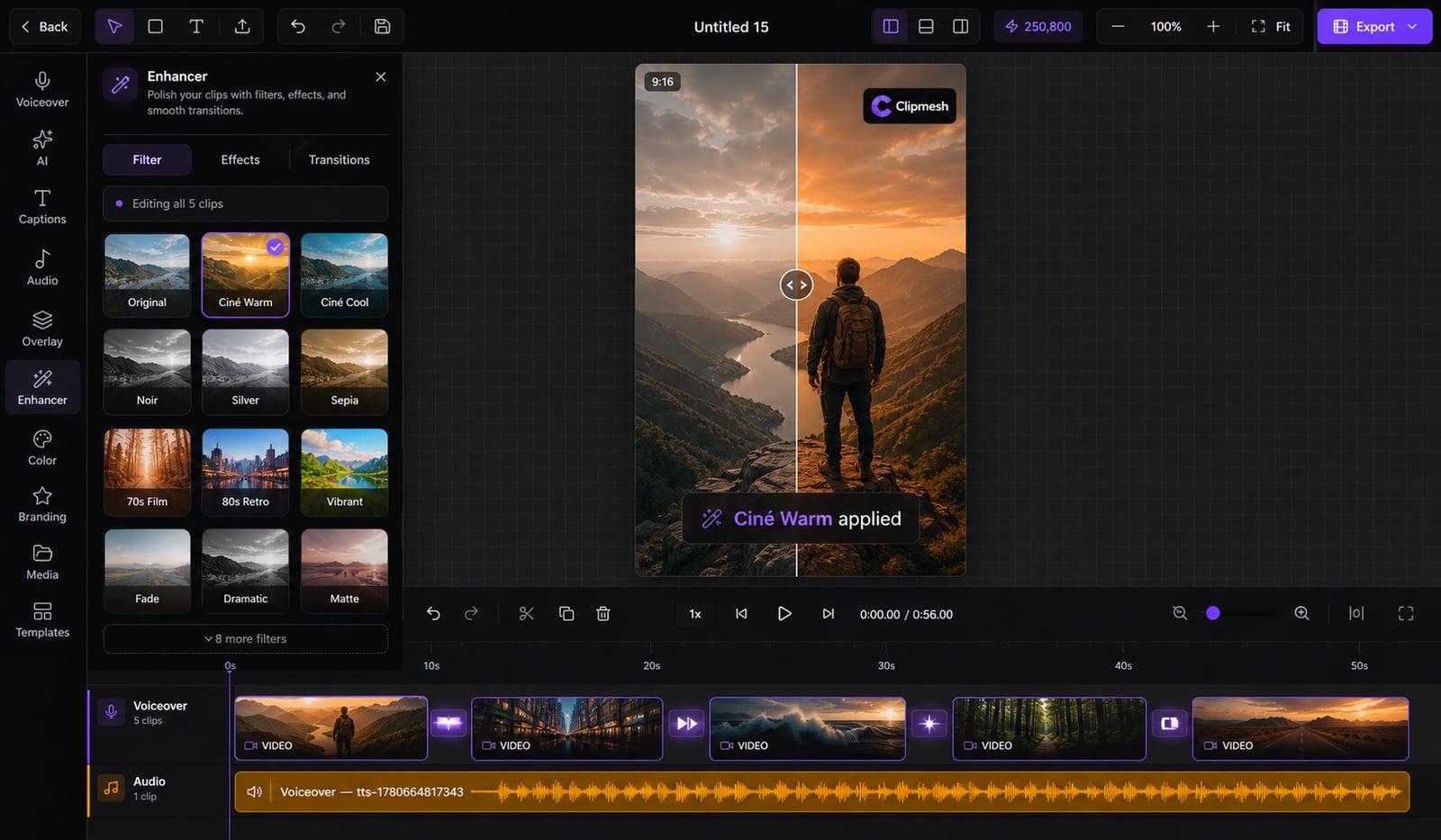
From idea to a finished video
- 1
Apply a filter or effect to a clip
- 2
Drop a transition between two clips
- 3
Preview and tweak until it flows
Look professionally edited — in a click
Jarring hard cuts and washed-out clips are a dead giveaway of a rushed edit. Drop in a filter for instant color grading and a smooth transition between cuts — no plugins, no color-science degree.
13 cinematic looks
Retro, Vintage, Wes Anderson, Noir, Polaroid, Kodak, Super 8 and more — a graded look without touching a single curve.
Dial it in your way
Mix brightness, contrast, saturation, sepia, hue and grayscale to taste — or just trust the preset.
30+ smooth transitions
Eased fades, slides and wipes between cuts — no more jarring hard jumps that scream 'unedited'.
Different on every clip
Give each cut its own look and transition — full control when a shot needs something special.
One click, live preview
Pick from a visual grid and see it on your footage instantly — no guesswork.
Looks identical on export
What you preview is exactly what renders — your GPU bakes it in, no surprises at the finish line.
More in the editor
See allMulti-track timeline
Most faceless tools trap you in rigid templates. Here you get a real timeline — arrange, trim and layer everything exactly how you want.
AI footage match
Hunting for b-roll is the worst part of faceless video. The AI director does it for you — a fitting shot for every line, dropped on the timeline.
Auto captions
Most people watch on mute — so captions make or break the video. Clipmesh writes them, syncs every word, and styles them to stop the scroll.
Media library
Re-uploading the same clips and digging through folders every project? Upload once — Clipmesh tags it and keeps it ready in every project.
Semantic clip search
Can't remember which clip had the shot you need? Just describe it — Clipmesh finds it in your library by what's in it, not its filename.
Overlays & stickers
Plain footage scrolls right past. Layer logos, lower-thirds, emojis and animated stickers on top to add the personality that holds attention.



Download Clipmesh Now
Turn any idea into a post-ready faceless video — free, on your own machine.