
Background music
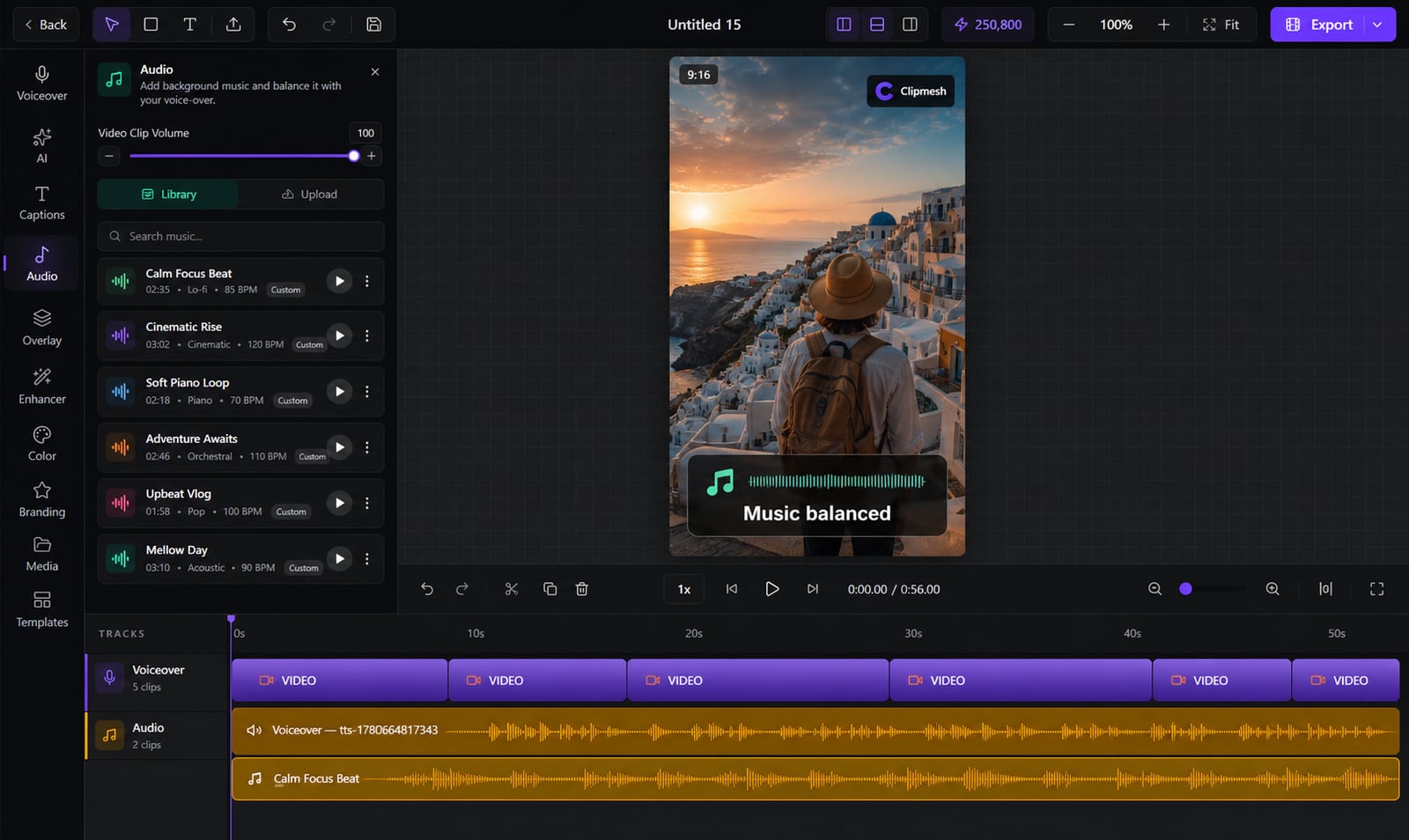
The right music sets the mood — too loud and it buries your words. Add a track, sit it under your narration, and keep speech crystal clear.
From idea to a finished video
- 1
Add a music track from the library or your files
- 2
Set its level so it sits under your voiceover
- 3
fade in · out
Add fades, preview, and you're set
Music that sets the mood, not the volume
Silent videos feel flat, but blaring music drowns the message. Pull a track from the built-in library or your own, balance it beneath your voiceover, and ship a clean final mix — fades and all.
Music & SFX built in
Grab a track from the library or drop in your own — no hunting royalty-free sites.
Layer and balance
Run several audio tracks at once, each with its own volume, so nothing fights for attention.
Upbeat — Background
Library · loops to fit
Keeps your words clear
Your music sits beneath the narration in the final mix, so the message never gets buried.
Fades and pacing
Ease tracks in and out and tweak playback speed for a clean, intentional sound.
Mixed on your machine
The whole soundtrack is mixed down locally at export — no cloud round-trip, no quality loss.
More in the editor
See allMulti-track timeline
Most faceless tools trap you in rigid templates. Here you get a real timeline — arrange, trim and layer everything exactly how you want.
AI footage match
Hunting for b-roll is the worst part of faceless video. The AI director does it for you — a fitting shot for every line, dropped on the timeline.
Auto captions
Most people watch on mute — so captions make or break the video. Clipmesh writes them, syncs every word, and styles them to stop the scroll.
Media library
Re-uploading the same clips and digging through folders every project? Upload once — Clipmesh tags it and keeps it ready in every project.
Semantic clip search
Can't remember which clip had the shot you need? Just describe it — Clipmesh finds it in your library by what's in it, not its filename.
Overlays & stickers
Plain footage scrolls right past. Layer logos, lower-thirds, emojis and animated stickers on top to add the personality that holds attention.



Download Clipmesh Now
Turn any idea into a post-ready faceless video — free, on your own machine.